How to Set Up a GNSS Rover Pole for RTK Surveying
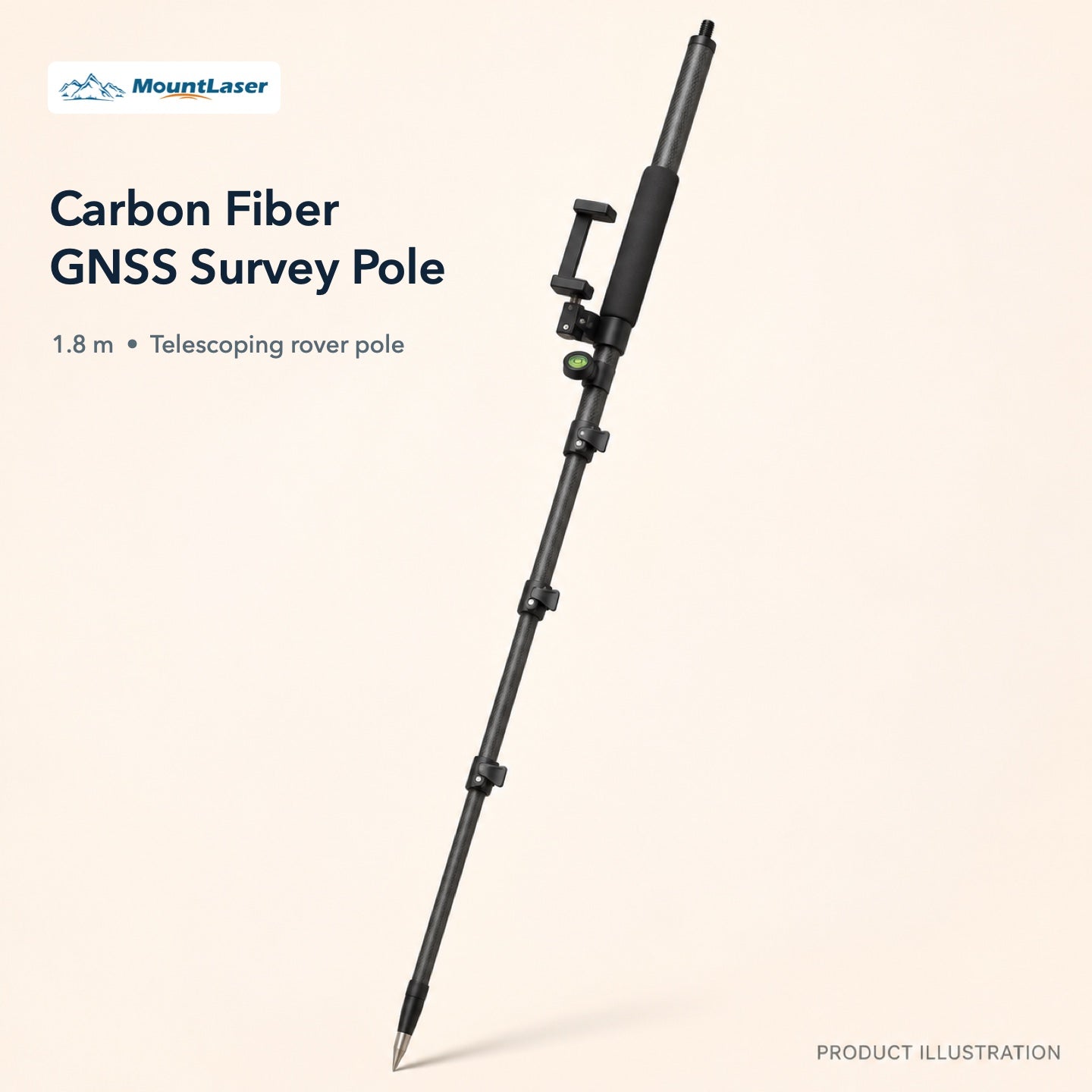
To set up a GNSS rover pole for RTK surveying, match the receiver or adapter thread, lock the pole at your chosen height, plumb it over the point and enter the antenna height using your receiver’s specified reference and measurement method. If you change the height or add an adapter, update the field software before taking the next shot.
1. Match the receiver and pole threads
Check both the thread diameter and pitch in the equipment documentation. A pole described only as 5/8 inch leaves the pitch unspecified. If your receiver uses a mounting adapter, check both sides of that adapter and record whether it changes the distance to the receiver’s antenna-height reference point.
2. Choose a height you can hold steadily
A telescoping rover pole lets you select a working height for the terrain and your crew’s setup. Align the height mark as directed by the pole’s instructions, secure the locks and confirm that the sections stay in place. When working in a series of shots, update the entered height immediately if the pole is extended or shortened.
3. Enter the antenna height the receiver expects
Receiver workflows can use different reference points and measurement methods. Follow the receiver and field software instructions for the correct antenna model, reference point, units and vertical or slant measurement. The pole marking alone does not tell you what to enter for every receiver and adapter combination.
4. Check the bubble and phone mount
Position the tip over the point and use a verified bubble level to bring the pole to plumb when the workflow requires a vertical pole. If you use a phone as a field controller, measure its case-on width at the jaw contact points. Check the clamp against the side buttons and confirm that the screen remains easy to read and operate before walking to the first point.
Before your first observation
- Receiver and adapter are seated securely.
- Pole latches are closed and the tip is secure.
- Field software shows the correct receiver, measurement method, height and units.
- The phone stays in the holder as you handle the pole normally.
- Any required checks on a known point have been completed under your project’s procedures.
Frequently asked questions
Is a 1.8 m pole always used at 1.8 m?
No. A telescoping pole may have several working settings. Select the height for the setup and follow the receiver instructions when recording antenna height.
Can I keep the same height after switching adapters?
Recheck the measurement whenever you change the mounting stack. Even when the pole is set to the same mark, an adapter may change the antenna reference position.
Will a holder fit every phone?
Fit depends on the holder’s width range, the phone case and clearance around the side buttons.
For a compact rover setup, see the Mountlaser 1.8 m carbon fiber GNSS survey pole with phone mount for its listed height settings and fit dimensions. For help matching a receiver or adapter, contact Mountlaser with your equipment model.