KRL-420 Red Rotary Laser with LP700: Leveling and Alignment Guide

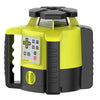
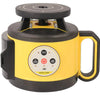
The Mountlaser KRL-420 red rotary laser kit gives crews a horizontal plane for elevation checks and a vertical plane for alignment. Its included LP700 digital receiver shows the offset from the laser plane, so the operator can see how far the detector is from the reference. The kit is a practical choice when the same crew checks concrete form heights and sets a vertical reference for layout.
Where the KRL-420 and LP700 fit
Use the horizontal plane for checking formwork, transferring a benchmark across a floor, or comparing elevations on a site pad. Use the vertical plane for tasks such as aligning a run of forms or transferring a layout reference between two points. Establish and verify a new reference when switching between orientations.
The LP700 has a digital display, a magnetic top, and a clamp for mounting on a grade rod. The display reads the position of the detector relative to the beam. To turn that reading into a work-point elevation, first establish the target and keep the rod and receiver setup consistent.
How to transfer an elevation with the LP700
- Set the laser on firm ground. Use a stable support and keep a clear path between the laser, the benchmark, and the work area. Let the instrument settle in horizontal leveling mode.
- Set the benchmark. Hold the rod upright on a known point and face the LP700 detection window toward the laser. Slide the receiver until it indicates on-grade, then secure the clamp and record the rod reading.
- Check the work points. For equal-elevation checks, keep the receiver clamped at the benchmark setting and compare each reading with the target. If the beam is outside the detection window, slide the receiver to center the beam and record the new rod reading.
- Verify before making adjustments. Recheck the benchmark if the tripod is moved, the rod is changed, or readings stop repeating. For a designed slope, use the target elevation specified for each point.
Example: find a low corner on a concrete form
Suppose the receiver centers at 1.25 m on a benchmark, and the form should be at that same elevation. If the receiver centers at 1.27 m on a corner, the corner is 20 mm lower on a conventional rod with graduations increasing upward. If the receiver remains clamped at 1.25 m and the beam stays within the detection window, use the LP700 display and direction indicator to check the offset. Confirm the target and recheck the point after adjusting the form.
How to establish a vertical reference
Set the KRL-420 in the vertical operating orientation specified in the instructions for the red-beam unit. Use two known layout points to position and align the plane. Check alignment at both ends before marking intermediate positions, and recheck if the support shifts. This workflow establishes an alignment line for the job; the project's control points determine where that line belongs.
Key specifications for the red-beam kit
| Feature | KRL-420 with LP700 |
|---|---|
| Laser beam | Red, 635 nm |
| Reference planes | Horizontal and vertical |
| Included receiver | LP700 digital rotary laser receiver |
| Self-leveling range | ±5° |
| Rated working diameter with LP700 | 800 m, about 2,625 ft |
| Housing protection | IP65 |
These figures describe the configuration shown on the Mountlaser KRL-420 product page. An 800 m working diameter corresponds to a 400 m radius under the rated conditions. Check actual usable distance on site, especially where machinery or structures can block the beam.
Frequently asked questions
What does the LP700 show?
It shows how far its detection point is from the laser plane. Establish a benchmark or target before interpreting that offset as a correction to the work point.
Which kit should I choose for horizontal-only work?
The KRL-310 with LP500 is an option for routine horizontal checks. Choose the KRL-420 with LP700 when your jobs also call for a vertical reference or you want a numeric offset on the receiver.
Does the LP700 come with this listing?
Yes. This listing is the red-beam KRL-420 kit with the LP700 digital receiver. Check the product page for current kit contents and availability.
View the KRL-420 red rotary laser kit with LP700 to order or check availability. For help selecting a rod or tripod, contact Mountlaser.
-
Posted in
KRL-420